

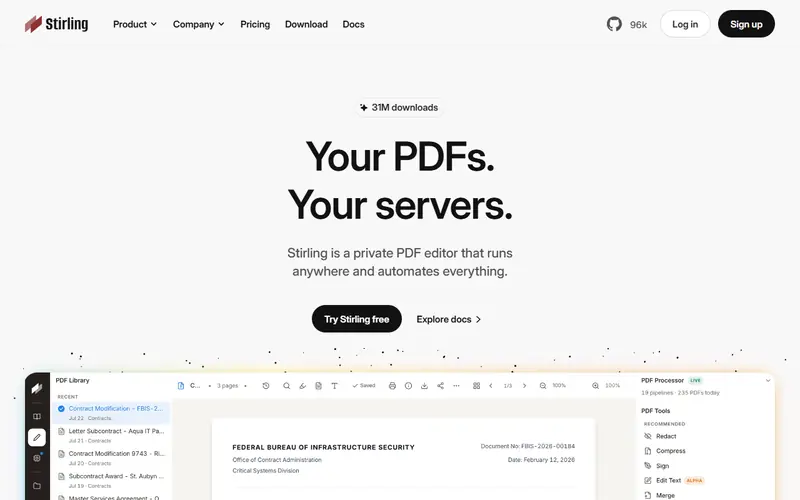
Open-source PDF toolkit you host on your own server with Docker, with 50+ operations. Merge, split, compress, OCR, sign and convert without documents leaving your company.
Open sourceTechnical setup
Free alternative to
Code activity
- Stars
- 95,986
- Forks
- 10,013
- Open issues & PRs
- 532
- Last commit
- today
- Latest release
- 3 days ago
Details
- Type
- Open source
- Written in
- TypeScriptJavaPythonCSS
- Platforms
- Self-hosted · Windows · Mac · Linux
- Ease of use
- Technical setup
Pros
- Documents stay on your own server
- More than 50 tools, many interface languages
Cons
- Needs someone comfortable with Docker to install
- Some enterprise features are paid
Use Stirling-PDF instead of
 Adobe AcrobatFor companies: self-host it on your own server for 50+ PDF operations while documents never leave your network.
How is the 100/100 "Health" score calculated?
Dorabot computes it weekly from public GitHub data; it is not a review of software quality: 40 points for code freshness (a commit in the last 30 days earns full points), 25 points for popularity by stars, 20 points for a recent release, 15 points for the ratio of open issues to stars. 80+ is Good, 60–79 Fair, below 60 Weak.
FAQ
Is Stirling-PDF free?
Yes. Stirling-PDF is open source and free for personal and commercial use.
Which platforms does Stirling-PDF run on?
Stirling-PDF is available for self-hosting on your own server, Windows, Mac and Linux.
What can I use Stirling-PDF instead of?
Stirling-PDF is a free alternative to Adobe Acrobat.
Similar apps
 Dorabot PDF toolsFree PDF tools from Dorabot that run in your browser with no sign-up.Office & PDF
 PDF24 CreatorFree PDF toolbox from Germany: compress, merge, split, convert to Word, OCR, sign and password-protect.Office & PDF
 PDFsam Basic4,661Open-source desktop tool to merge, split, rotate and extract PDF pages.Office & PDFOpen source
 Sumatra PDF17,957Very lightweight open-source PDF reader for Windows.Office & PDFOpen source
 LibreOfficeOpen-source office suite that replaces Microsoft Office: Writer, Calc, Impress and Draw.Office & PDFOpen source
No apps match. Try removing a filter.